FIGMA TO EMAIL HTML

Convert Figma designs to email HTML in 3 minutes

No slicing. No broken layouts. Clivo transforms your Figma file into clean, responsive, and deliverability-friendly email code.

Try Figma Conversion Free

No credit card required • Works with all email clients

Smart AI conversion for email

Built with cutting-edge AI to transform Figma designs into perfect email HTML

98%
Deliverability Rate
3min
Conversion Time
<100KB
Clean File Size
100%
Outlook Compatible
NO SLICING REQUIRED

Smart conversion that understands your design

Unlike traditional slicing tools, Clivo's AI understands your Figma layers and structure, converting text to text and images to images for perfect email HTML.

  • No image-heavy layouts that break in Gmail
  • Clean, semantic HTML with inline CSS
  • VML fallbacks for Outlook compatibility
PIXEL-PERFECT RESULTS

From Figma to inbox in 3 minutes

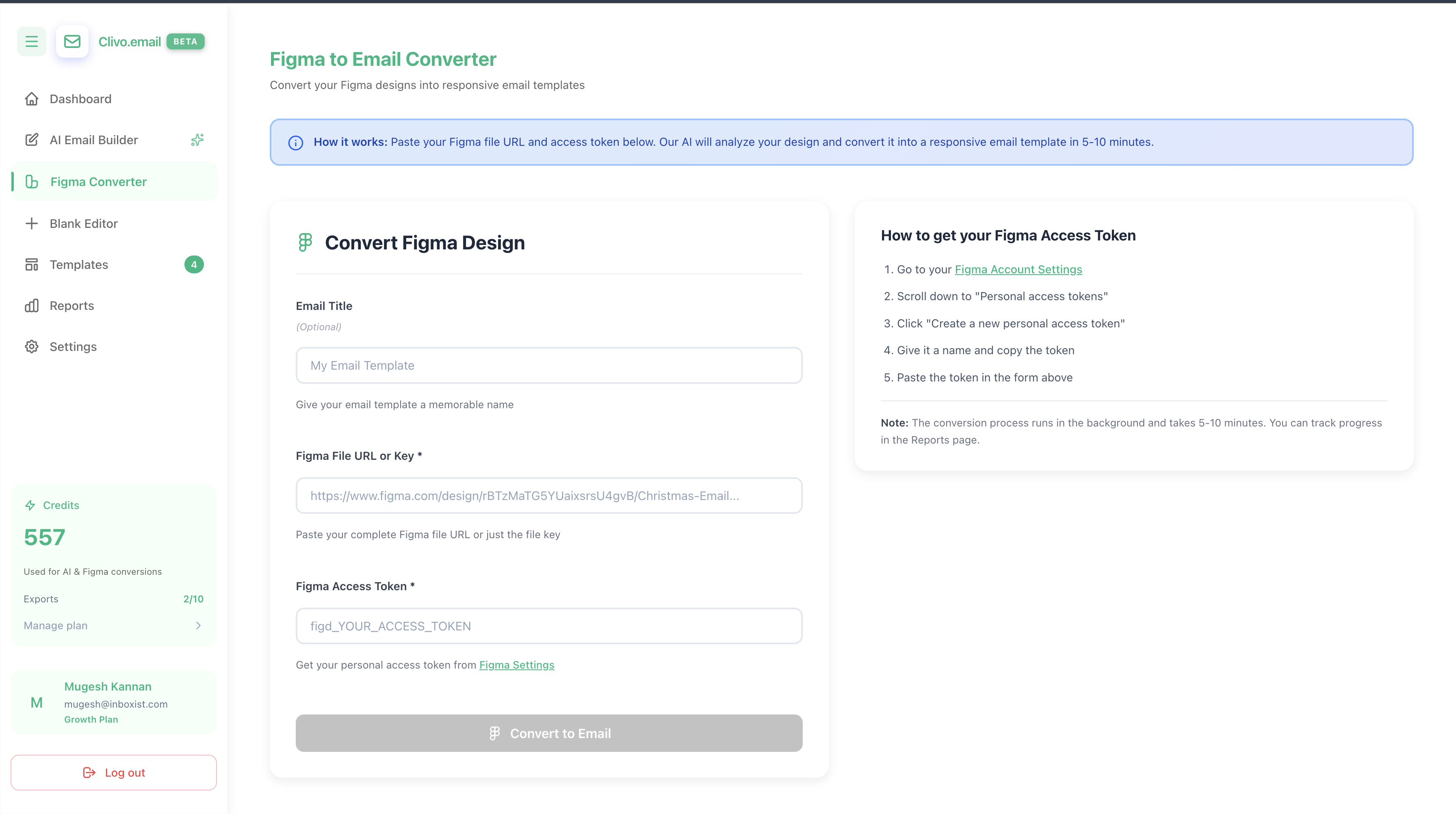
Upload your Figma file and get production-ready email HTML. Every element is perfectly positioned and tested across all major email clients.

1

Upload Figma design

Paste your Figma link or upload the file directly

2

AI converts to HTML

Smart conversion with proper email structure

3

Export & deploy

Send to Klaviyo or download clean HTML code

Everything you need for perfect email HTML

Built with email best practices and tested across all major clients

Table-Based Layout

Responsive tables that work perfectly across all email clients

Outlook Compatible

VML buttons and MSO conditionals for perfect Outlook rendering

Mobile Responsive

Looks perfect on desktop, mobile, and tablet devices

Clean Code

Optimized HTML with inline CSS and semantic structure

Lightning Fast

Convert and export your designs in under 3 minutes

Pixel Perfect

Maintains your exact Figma design without compromise

Frequently asked questions

How does Figma conversion work?

Upload your Figma file and our AI analyzes the layout, converting it to clean, table-based email HTML with inline CSS. No slicing required!

Will my emails work in Outlook?

Absolutely! Every email includes VML fallbacks and MSO conditionals for perfect Outlook rendering across all versions.

How long does conversion take?

Most Figma designs convert in under 3 minutes. Complex multi-section designs may take slightly longer.

Can I edit the HTML after?

Yes! The generated HTML is clean and well-structured, making it easy to customize text, images, and styles.

Does it work with Klaviyo?

Yes! Direct export to Klaviyo is included. You can also download HTML for any other email platform.

What file formats are supported?

You can upload Figma files directly or paste a Figma share link. Both methods work perfectly.

Start converting Figma to email HTML today

Stop slicing. Start sending. Transform your Figma designs into perfect, deliverable email HTML in minutes.

  • No credit card required
  • Free credits to get started
  • Export to Klaviyo or download HTML

Ready to get started?